

Cart
0
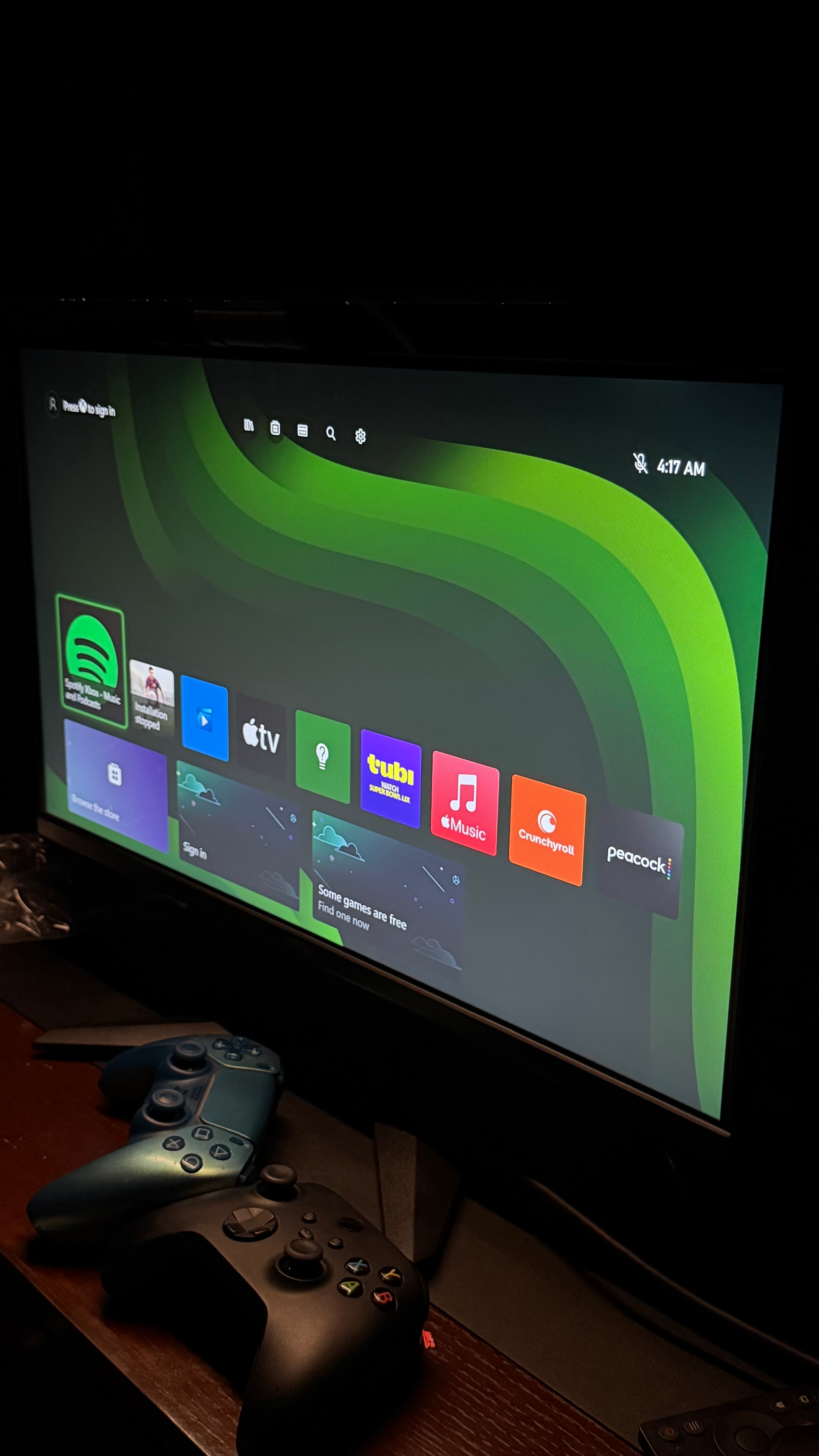
The Ultimate Gaming Setup Guide TO Build Your Dream Gaming Room
A great gaming setup is about more than just owning the latest console or gaming PC. The right combination of equipment can improve comfort, immersion, and overall performance, making every gaming session more enjoyable.
Whether you’re building your very first gaming setup or upgrading your current one, this guide will help you choose the right equipment for your budget and gaming style.
Step 1: Choose Your Gaming Platform
The first decision is choosing your primary gaming platform.
PlayStation 5
Perfect for players who enjoy cinematic exclusives, sports games, and immersive single-player adventures.
Best for:
- Story games
- Sports games
- Racing games
- PlayStation exclusives
Xbox Series X
Ideal for players who want access to Game Pass and a huge library of games.
Best for:
- Game Pass
- Multiplayer
- Cross-platform gaming
Steam Deck OLED
Perfect if you want PC gaming anywhere.
Best for:
- Travelling
- Steam Library
- Portable gaming
ASUS ROG Ally X
A handheld gaming PC offering Windows flexibility and excellent performance.
Best for:
- PC gamers
- Game Pass
- Steam
- Epic Games
Nintendo Switch OLED
Excellent for families and Nintendo exclusive games.
Best for:
- Mario
- Zelda
- Pokémon
- Local multiplayer
Step 2: Choose the Right Display
Your display has a huge impact on your gaming experience.
Gaming Monitor
Ideal for:
- Competitive gaming
- Fast response times
- High refresh rates
Gaming TV
Perfect for:
- Console gaming
- Large-screen experiences
- Living room setups
For PlayStation 5 and Xbox Series X, a 4K display with HDMI 2.1 support provides the best experience.
Step 3: Upgrade Your Audio
Good sound helps you hear footsteps, enjoy immersive music, and communicate clearly with teammates.
Recommended options include:
- Gaming Headsets
- Wireless Earbuds
- Soundbars
- Home Theatre Systems
Step 4: Comfortable Seating
Long gaming sessions require proper support.
Look for:
- Adjustable Gaming Chair
- Ergonomic Office Chair
- Lumbar Support
- Neck Pillow
Comfort helps reduce fatigue and improve posture.
Step 5: Upgrade Your Accessories
The right accessories make gaming more enjoyable.
Must-have accessories include:
- Extra Controllers
- Charging Dock
- Controller Stand
- Gaming Keyboard
- Gaming Mouse
- Mouse Pad
- Console Storage Expansion
- Cable Management Kit
Step 6: Improve Your Lighting
Lighting transforms your gaming room.
Popular options include:
- RGB Light Strips
- Smart LED Panels
- Desk Lighting
- Ambient TV Lighting
Good lighting also looks fantastic in photos and streams.
Step 7: Organize Your Setup
A clean setup improves focus and creates more desk space.
Use:
- Cable Sleeves
- Under-Desk Cable Trays
- Headphone Hooks
- Controller Holders
- Storage Drawers
Small changes make a big difference.
Step 8: Internet Matters
Online gaming depends on a stable connection.
For the best experience:
- Use Ethernet whenever possible.
- Place your router in an open area.
- Upgrade your Wi-Fi if needed.
- Reduce network congestion during competitive matches.
Common Mistakes to Avoid
Many gamers spend all their budget on a console and forget the accessories that improve the experience.
Avoid these mistakes:
❌ Ignoring storage needs
❌ Buying low-quality headsets
❌ Using poor internet connections
❌ Forgetting cable management
❌ Buying accessories that aren’t compatible with your device
Planning ahead saves money and frustration.
Recommended Setup for Beginners
A balanced starter setup could include:
- PlayStation 5 Slim or Xbox Series X
- 4K TV or Gaming Monitor
- Extra Controller
- Gaming Headset
- Charging Station
- High-speed Internet Connection
As your gaming needs grow, you can expand with additional storage, upgraded peripherals, or a handheld gaming device.
Why Buy Your Gaming Setup from Gamepedia?
At Gamepedia, we don’t just sell gaming products—we help you build the right setup for your needs.
We offer:
- Genuine gaming products
- Competitive prices
- Fast nationwide delivery
- Friendly customer support
- Expert advice from fellow gamers
Whether you’re starting from scratch or upgrading your dream setup, we’re here to help.
Frequently Asked Questions
Do I need a gaming monitor for PS5?
Not necessarily. A good 4K TV can provide an excellent console gaming experience, while a gaming monitor may be preferred for competitive play.
What is the most important gaming accessory?
There isn’t a single answer. A quality headset, extra controller, and reliable internet connection are among the most valuable additions for many gamers.
Is RGB lighting necessary?
No. RGB lighting is optional, but many gamers enjoy it for the atmosphere and personalization it adds to a setup.
Should I buy all accessories at once?
Not always. Start with the essentials and add more accessories over time based on your needs and budget.
Final Thoughts
A great gaming setup isn’t about buying the most expensive equipment—it’s about creating a space that fits your gaming style and lets you enjoy every session.
Whether you’re playing on a PlayStation 5, Xbox Series X, Nintendo Switch, Steam Deck, ASUS ROG Ally, or Meta Quest, the right combination of hardware, accessories, and organization can make a huge difference.
At Gamepedia, we’re passionate about helping gamers across Pakistan build setups they can be proud of. Explore our range of consoles, accessories, handheld gaming devices, and gaming essentials to create your dream gaming room.
